zona303 Mobile App
We at zona303 provide mobile access to our live-dealer tables, sportsbook, slot games, and esports markets through both native Android and iOS browser installation. Our mobile experience is built for speed, account security, and uninterrupted gameplay across devices in supported jurisdictions.

- DownloadAPK
- LoginOTP Verification
- Installin
- StartFirst Game
Whether you access zona303 through an APK download, a web app, or your device's browser, we maintain the same live-studio quality, payment integration, and account verification standards. Your device can run our app with minimal storage and standard permissions, while your account data remains encrypted and subject to regular security review.
This page explains how to install zona303 on Android and iOS, what to expect after setup, common troubleshooting steps, and how we protect your data on mobile devices.
Getting zona303 on your device
We offer three paths to use zona303 on mobile: a direct Android APK download, an iOS browser link, or a responsive web app that works on both platforms. Each path leads to the same account, live-dealer tables, Liga 1 and Piala AFF markets, slot games, and Mobile Legends esports coverage. Your choice depends on your device type and preference for offline caching or direct browser access.
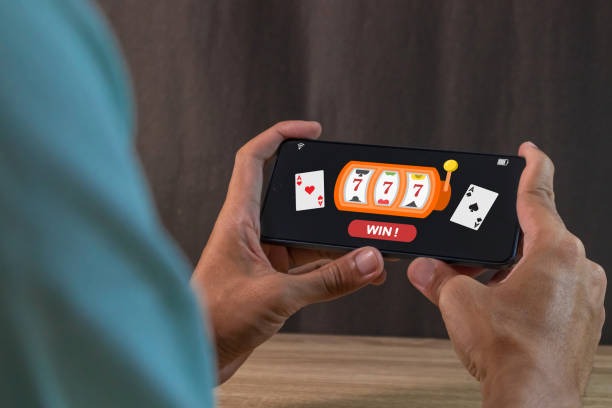
Installation and account setup on zona303
Getting started with zona303 on your mobile device takes a few minutes. We walk through the download, permission acceptance, registration, and first login below.
- Download the APK or open the web app: For Android, visit the link on our site and select "Download APK"; for iOS or browser access, open your Safari or Chrome browser and go to zona303.app.
- Install and grant permissions: Android will ask you to allow installation from unknown sources (app settings); iOS browser users skip this step. Both paths ask for location and notification permissions (optional but recommended for promotional updates).
- Create your account: Enter a username, email, password, mobile number, and select a payment method such as DANA, e-wallet, mobile banking, or local payment. You will receive a verification email.
- Verify and start playing: Click the email link, upload KYC documents (identity and proof of address), and wait for verification. Once approved, your account unlocks access to live-dealer tables, sportsbook, and slots.
App versus browser: strengths and differences
Our Android APK app offers offline caching, which means certain game data and your account dashboard load faster on repeat visits, even if your internet connection is slow. The app also sends push notifications for live-table updates, withdrawal approvals, and bonus announcements. Browser access via zone303.app or your mobile Safari requires an active internet connection but works on any device without installation steps and does not require you to enable unknown-source installs on Android. Both paths keep your account data encrypted and subject to the same two-factor authentication and withdrawal-review standards. Choose the app if you value speed and offline features; choose the browser if you prefer simplicity or use multiple devices.
Device compatibility and system requirements
We at zona303 support Android 7.0 and above on the APK, which covers most phones released in the past five years. On iOS, Safari and Chrome work with iOS 12 and later, covering all current iPhone and iPad models. Your device needs at least 50 MB of free storage for the APK, though most modern phones have far more. RAM requirements are minimal — our app runs on devices with 2 GB of RAM or higher. If you use an older device, the browser version may be slower but remains accessible from Jakarta, Surabaya, Bandung, Medan, or Semarang as long as you meet local gaming regulations.
Troubleshooting common installation issues
If you see a "Cannot install app from unknown source" error on Android, go to Settings > Apps > Special app access > Install unknown apps, find your browser, and toggle permission on. If the download hangs, clear your browser cache (Settings > Apps > [Browser] > Storage > Clear Cache) and retry. On iOS, if Safari or Chrome shows a warning about our certificate, this is normal for newer apps — tap "Visit anyway" or "Continue" to proceed. If you cannot create an account after installation, check that your email address is not already registered to another zona303 account and that your mobile number is in the correct format (e.g., +62 8XX XXXX XXXX). If installation fails on slow networks, move to a stronger WiFi signal and retry; our APK is optimized for download on 3G and 4G but works best on stable connections.
Data, permissions, and account security on mobile
When you use the zona303 app or web app, we collect your device identifier, IP address, and app usage patterns to prevent fraud and enforce account limits. We ask for notification permission so we can send you alerts when your withdrawal is approved or a live-dealer table opens during peak times such as Idul Fitri or Champions League tournaments. We do not sell or share this data with third parties. Your password and payment information are encrypted in transit and stored securely; we never log your password in plaintext. We also protect your account with two-factor authentication and require you to re-verify your identity before large withdrawals. If you lose your device, you can reset your password from any other device, and we will require SMS verification to your registered mobile number before allowing login. Your data is retained for the duration of your account and deleted upon account closure, subject to regulatory obligations.

Best practices and final notes
We recommend keeping your zona303 app updated to the latest version, as updates include security patches and improvements to live-dealer video quality. Check your app store or our website for new releases every few weeks. Use a strong, unique password that you do not share with other accounts. Enable two-factor authentication on your account settings — this adds a second verification step during login and before large withdrawals, protecting you against unauthorized access.
If you experience technical issues on our app or website, contact our support team through the help section in your account. Our support acknowledges inquiries during standard business hours and responds with troubleshooting steps, account recovery guidance, or payment clarification. We do not charge for support; all assistance is included with your account.
We at zona303 provide mobile access only in jurisdictions where online gaming is legally permitted. Before downloading, confirm that access and use comply with your local gaming laws. We do not offer services in regions where online wagering is prohibited.